

CapCut Review: A Top Free AI Video Editor for Social Media Creators
Introduction: What Can CapCut Do?
CapCut is a cross-platform AI video editing application compatible with mobile, desktop and web browsers. It is mainly designed for making short-form videos like TikTok clips, YouTube Shorts, Instagram Reels and marketing short videos. With CapCut, you can cut and splice footage, adjust speed, add transitions, filters, text and background music. It is famous for its practical AI functions: automatic subtitle generation, one-click background removal, audio noise reduction, text-to-speech voiceover and intelligent aspect ratio adjustment. Thanks to cloud sync, you can start editing on your phone and continue editing the same project on a computer later. It integrates basic editing tools and AI automation, helping ordinary users quickly make attractive videos without professional skills.
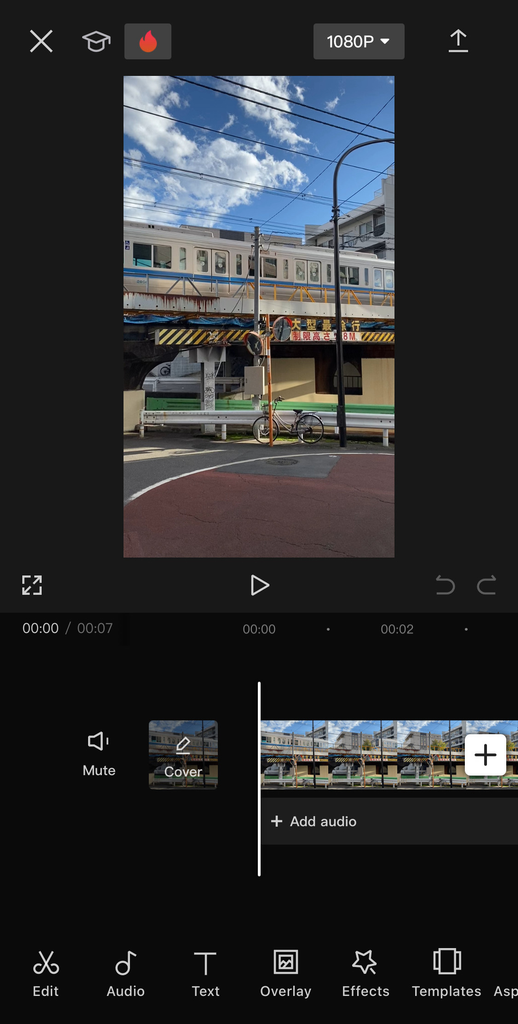
Key Advantages of CapCut
Free core features and no forced watermark
Most basic editing tools and commonly used AI functions are free. Free users can export videos without watermarks for most social media content. This is a huge advantage over many rival editors that add watermarks or lock core features behind subscriptions.
Abundant built-in resources and trendy templates
CapCut has a large built-in library of royalty-free music, sound effects, stickers and filters. There are countless ready-made templates following popular social trends. You can finish a nice video in minutes by using templates.
Simple interface and low learning difficulty
The operation interface is clean and logical. Newcomers without any video editing experience can master basic operations quickly. It focuses on efficient creation instead of complicated professional settings.
Downsides of CapCut
apCut has obvious limitations. It is optimized for short videos and lacks advanced professional modules such as fine color grading and multi-camera editing. It cannot replace Premiere Pro or DaVinci Resolve for feature films and complex commercial projects. Most AI tools and cloud sync rely on the internet, and offline editing capabilities are weak. Free users only get limited daily AI credits. Besides, premium templates and stock media in the free version do not come with commercial use authorization.
CapCut Free vs Pro Plan Comparison
Free Plan ($0)
Access to all basic editing tools, free templates, auto captions, noise reduction and simple background removal. The maximum export resolution is 1080p. Daily AI credits are capped. Most assets are only allowed for personal use.
CapCut Pro ($7.99/month, $74.99/year)
Unlock all premium templates and stock media with commercial licenses. Enjoy complete advanced AI tools, priority AI rendering, extra cloud storage and 4K export. It suits creators who need commercial rights and high-quality exports.
Who Is CapCut Suitable For?
CapCut is perfect for social media creators, affiliate marketers, small business operators, students and casual vloggers. If you often create promotional clips, product showcase videos, educational snippets, Reels and Shorts, CapCut matches your needs very well. But professional filmmakers and post-production teams for complex projects should choose professional editing software.
Final Verdict
CapCut provides amazing value for short-video creators. Its free tier is powerful enough to satisfy most casual creators. The Pro plan is reasonably priced if you need commercial usage rights, 4K export and more AI resources. If you are looking for an easy, fast AI video editor for social content, CapCut is definitely worth a try.